WordPress adventures

WordPress adventures

So, in case you didn’t notice, I updated my website’s look and feel.  While I was at it, I upgraded to the latest version of WordPress (v3.4.1) from my pretty ancient version 2.? version I installed years ago.  My, how things have improved.  It all went pretty smoothly, but there were some good ‘gotchas’ that I wanted to make note of.

Tips:

  1. Start from a template – The best way would simply to take one of the supplied ones and start modifying – as they are considered the canonical reference designs.  I started from one from a great web design guy who has won numerous awards.  He provides his ‘blank’ theme as a zip, along with his handy and time-saving tips to get the job done faster.
  2. Don’t touch the php files until you’re at finishing touches!  Everything you probably do should be in the style.css file – Your temptation again and again will be to modify the HTML code in the header.php/footer.php/index.php/etc files.  DON’T do it.  Use the style.css code to do what you need.  Most of the templates have everything you need in them already – you just need to modify their appearance via their style.css information.  Reasons?  Most of the code in the canonical templates has been tested extensively on many different browsers and have stood the test of many trials.  Yours has not.  Anything in those files is forever static – no matter how your page is used.  Single.php is used in several places – and in different formats.  Futzing with anything other than the styles will likely break things.
  3. Do all your development locally.  Set up a local XAMPP server and develop your theme locally.  Get everything working right – then publish.  Saves you TONS of time and gives you experience installing wordpress.

Special notes:

  1. Syntax error, unexpected T_VARIABLEon 1and1 hosting– When I installed my new, pristine version of WordPress on my 1and1 hosting, I got this error.  I had done this before without issue, but then I found this forum discussion on the topic.  Turns out 1and1 hosting hadn’t updated their PHP version.  Add a .htaccess file to your root directory with only this inside :
    SetEnv PHP_VER 5
  2. This does not appear to be a WXR file, missing/invalid WXR version number when exporting/importing from old WordPress version.  I upgraded from an old 2.x version of wordpress to 3.4.1.  I exported just find and got a nice, big .XML file with all my posts in it.  When I went to import it though, I got that error.  Turns out the old versions didn’t put the version number in the file when exporting it.  I simply opened up the .XML file, and added the following line near the top.
    <wp:wxr_version>1.1</wp:wxr_version>
    Everything imported like a champ.

There were lots more notes, but I’ll save those for another time, as these were the big ones that took some digging around.

Goldfinger – Ian Fleming

Goldfinger – Ian Fleming

Yet another round of classic James Bond.  This time, it’s the dastardly Auric Goldfinger.

Goldfinger is Fleming’s 7th Bond book – and largely doesn’t disappoint.   Unlike most of the rest of the Bond series, the movie version actually follows the book.  Not only that, but the movie actually seemed better.  But that’s no reason not to read this one.

Some of the differences?  In the film, Bond is threatened by a laser beam; in the book, it’s a metal cutting circular saw. In the film, Bond escapes the the laser with clever talking, in the book he is beaten and attempts to hold his breath to reach unconsciousness, completely resigned to death.  In the film, Goldfinger puts Fort Knox to sleep with poison gas; in the book, he taints the town’s water supply. In the film, Goldfinger wants to blow up the fort; in the book, he actually wants to rob it. In the film, both Oddjob and Goldfinger die clever and inventive deaths; in the book, only Oddjob’s demise is interesting.  In the film, the golf game is smoothly played, while in the book it’s a bit rough and Goldfinger even intuits the deception.

The plot in the book also has a few more holes that were handled better in the movie.  For example, in the book the ludicrously shrewd and calculating Goldfinger, (who is a brilliant financier for SMERSH and genius of planning), falls for Bond’s flimsy cover story of working for an export company.  Yet, after Bond completely outwits and flim-flamms Goldfinger publicly, TWICE, Goldfinger somehow figures it’s a good idea to put Bond in charge of part of his Fort Knox operation.  At the last minute.  After he’s said he’s planned this out to the minute with nothing to chance. When Bond is captured and tied to the laser/cutting saw table, he resigns himself to a gruesome death.  No witty banter, no fast-talking escape – just a plan to die quickly and Goldfinger saves him on a hunch on suspicion that Bond might be ‘clever’.

As a final sore spot, the book has the usual cringe-worthy racism and sexism. While ever-present in all of Fleming’s novels, this one seems worse than the others.  Fleming’s racist comments about Oddjob and the other Korean helpers are downright disgusting.  The handling of Pussy Galore’s lesbianism is no less stereotyped.  I’m also amazed at the number of times Bond demands and insults his captors into first-class treatment – and gets it each time!  It definitely showed the cock-sure British ideal of considering themselves to be superior to others and that the place of lessers was to treat their greaters properly – even when they’re about to put you to death.  Definitely out of step with the sensibilities of today – but a good historical reminder of what our world once was.

Still the plot is super-grandiose.  I mean, nowhere else would someone even think of knocking over Fort Knox.  The movie even makes a jab at Fleming with the movie Bond gafawing the the notion of trying to get all the gold out with even a hundred men.  Something Fleming was actually going to do in the book. Yet, Goldfinger falls into the classic villain stereotype of saving Bond because he believes Bond is the only man truly smart enough to appreciate his dastardly plan.  He gives Bond a front-row seat during the critical moments, and then is completely taken aback when Bond foils his plot with a plain-looking shoe.  Sigh.

Sure, it’s a pulp novel with cardboard cut-out villains, heroes, and femme fetals.  But the writing is actually pretty good and  story keeps chugging along nicely.  Ignore the rough spots – and it sure makes me wish we had such grandiose and imaginative villains in the works of today.  All we seem to get in today’s villians are disenfranchised psychopaths (the Joker) racing to the sewers of depravity, super-heroes on 30-year-old rehashed plots, characters that are just thinly veiled social or political commentaries, or gore-fests that show off our latest CGI abilities.  I wonder what a villain of global scale would look like today…

From Russia with Love – Ian Fleming

From Russia with Love – Ian Fleming

The latest of my Ian Flemming reading is “From Russia With Love”. It was his 5th Bond book and considered one of his best.  I don’t know if I totally agree, but it’s still a very good read.

The plot is full of great early cold-war era intrigue. Russia’s intelligence agency has recently suffered some embarrassing failures and setbacks.  They decide to enlist their lethal SMERSH to come up with a plan to embarrass the west and also eliminate an enemy agent at the same time.  They target Bond for the elimination; and cook up a plot to do so in the most publicly embarrassing way possible by framing him.  SMERSH enlists the irresistible Tatiana Romanova to lure 007 to Istanbul promising to give the west a top-secret Spektor cipher machine.  But when Bond walks willingly into the trap, a game of cross and double-cross ensues.

Overall, the story is not bad and right in line with Flemming’s other novels.  The plot in this book is probably the most complex.  There are many different story lines all working their way towards a resolution and the exact details of the plot are hidden from view until the very end.  Some of those lines are working so completely unseen to the reader that it gives a great bit of excitement as you wonder where and how those spinning wheels will come crashing into view again.

Oh sure, there is plenty of bigotry and nationalism as usual in the Bond series.  Flemming gives great little unfiltered opinions of various Western countries of his day via the comments of the Russian’s during the plotting phase.  He doesn’t seem to think much of the French for sure.  There’s the usual dose of sex and even some lesbianism which would certainly have been as racy as it came back in the day.  There are gypsies that he considers near sub-human, and so forth.  Certainly cringe-worthy for people sensitive to political incorrectness – but I still always find these books amazing insights into exactly what people of 70 years ago used to honestly think.

One notable point in this novel is that Bond walks pretty much right into the Russian trap when there are buckets of warning signs.  The concept of Bond being some invincibly omnipotent agent as we see in the movie versions is not present in most of the actual books.  Yet this book really shows the flaws.  Several times Bond even says to himself that this might be a trap and unsuccessfully tries to sort out the plots that appear to be SCREAMING that it’s a trap (you dolt!).  Yet he goes right along with it anyway and seems to think the power of his masculine intuition over this Russian agent he is making love with is all-powerful.  Oh how wrong he turns out to be.

There are some great villains.  The head of SMERSH is vile and cringe worthy.  The assassin himself is a great character; and painted as dark as one could imagine.  The depths of his murderous and homicidal tenancies are nearly unparalleled in other works I’ve read of this era.  He’s a genuinely nasty and downright psychopathic killer.  Still, I found myself laughing out loud though when it came to the point of the kill.  He actually wakes up his completely vulnerable victim to tell them the WHOLE plot ad-nausium before making what should have been an easy kill.  It introduces the classic faux-pax of having your enemy completely in your power, stopping to spill the whole plot, and then flub it because you gave the victim a window of opportunity.  Truly classic.

Overall, it is a good book.  I think I might still give the nod to Moonraker, but this one has much more intrigue and dynamism to it. I give it a A- for the adventure, with the minus points for Bond’s walking right into a trap WE all saw coming.

Can’t rip in Windows Media Player

Can’t rip in Windows Media Player

Oh – yet another way in which Microsoft has made my, and others’, lives much more easy.

Problem:
You open Windows Media Player, and try to rip a CD, but it won’t rip despite the fact you’ve done this dozens of times before.  You get the message ‘Windows Media Player cannot rip one or more tracks from this CD’.

You open Tools->Options->Rip Music.  You see that the ‘Rip music to this location’ is blank – so you click ‘Change’ to set it.  But nothing happens.  Click, click, click.  No dialog opens to allow you  to set the output directory.  Any time you try to rip the CD, you get the same error saying it can’t rip.  You try running the Troubleshooting app and reset all the user settings to default.  Still no luck.


Solution:

The problem is caused because the drive and/or directory media player had been pointing to no longer exists, and the change directory button doesn’t work IF THE ORIGINAL DIRECTORY OR DRIVE IS GONE.  Too bad you can’t change where it is pointing at.  Too bad you also can’t even see what it THINKS it should be pointing at to recreate it.  Guess you’ll just have to remember the path from memory.  Shucks – that’s great design.

You either have to re-create that directory (from memory) – or do THIS highly intuitive operation to fix it:

1. Start menu -> right click ‘Music’ and get the properties.

2. Either: see what directory has a checkmark by it and re-create that directory/re-attach the drive, or add/pick a listed directory that DOES exist – (i.e c:users”your user”)

3. Right click on a directory that does exist, and select  ‘Set as default save location’

Close and reopen media player.  This will solve the problem.  The fact that clicking on the ‘Change’ button doesn’t work is just fundamentally broke.  That needs fixing.  Also, fix the automated troubleshooter to actually reset the default location back to something sane too. The troubleshooter is broken as well.

Sigh.

Installing your new SSD

Installing your new SSD

Installing an SSD hard drive into my machine has to be the most transformative computing experience I’ve had since the introduction of Intel’s Core line of processors.

But there are important things to know about SSD and upgrading.  Sure, it’ll install just like any other hard drive, but they are not created the same way and need different tweaks on them.  Our operating systems are still geared and tuned for platter systems.  There has been many, many people tweaking and experimenting with a great number of setups.  Now, however, they are all starting to converge and say similar things.  Here’s a great link with most of the common details and techniques outlined:
http://www.sevenforums.com/tutorials/70822-ssd-tweaks-optimizations-windows-7-a.html
However, there are some important things I think are worth calling out:

  1. Your SSD has a finite lifespan based on how many times its *written* too – SSD’s only have the ability to write so many times to it’s memory cells before they degrade and fail.  Reading is free from this behavior.  This was much worse in the first generations of the drives – so buying used SSD’s means you’re buying a drive that has used more of it’s lifetime.  Buy used and older generation drives carefully (and at a big discount).   The most recent drives are not nearly as bad as first generation drives but your goal is still to *reduce* the amount of writing your drive.
    Don’t freak out though – Intel drives have 3 year warranties, use modern wear leveling algorithms, compression to avoid extra writes, have built-in block correction/replacement, and use modern processes so that you are now much more likely you’ll upgrade before a failure.  Still, using the drive as a constant write cache would be a bad idea. Most of the optimization strategies you read about are geared for the right balance of longevity and speed.
  2. Even ‘slower’ big SSD’s are faster than the fastest smaller ones.  While my Intel 180gb drive is in the top third of performance, it absolutely TROUNCES the perf of the fastest 64gb, and almost all the 120gb drives.  The bigger the drive, the faster it natively is.  Not sure why, but the specs show they are.
  3. Buy at minimum a 120gb drive – I recommend at least a 180gb.  You’ll find all kinds of folks that get Windows 7 installed in 30gb or under.  Yes, you can install Windows 7 on a 64gb drive.  But you won’t get much else on there and it requires lots of ‘fiddling’.  After years of doing this as a poor college student, I now hate fiddling.  I installed the OS with the swap file and most of the recommended settings along with all my core little helper apps (Winzip, Skype, PowerDVD, Office, Battlefield 3 (notoriously SLOW on level loading and big), and am just under 100gb before my final adjustments that should net me a bit more space.  I think that would completely fill a 120 as after formatting you only have a bit over 100gb.  I would have gone for a 256gb model, but they weren’t offering the nearly half-off super-discount on that one at the time. 🙂  If you buy anything under a 180gb you will probably have to ‘fiddle’ with it.  If you’re ok with that – knock yourself out.  It’s not worth $60 over 3+ years of ownership for me anymore.
  4. Plug the drive into one of the built-in Intel 6gb/Sata3 ports.  Some people report trouble/lowered perf with the ‘add on’ Marvell/AMD/etc SATA3 controller ports (if your MB has them).
  5. Upgrade to Win7.  Love or hate it, Windows 7 has lots of new tweaks and optimizations for SSD use.  If you use an older OS, you won’t get those optimizations, and at worse, maybe shortening the life of your drive.  What are those optimizations?  Things like using the page file linearly to minimize random writes, support for TRIM to combine writes/reads, etc.  Get the latest service packs + updates too.
  6. Install your OS from scratch on the new drive.  You can use a disk imaging tool to get things across, but it’s FAR better to re-install your OS from scratch.  Windows 7 has tweaks for SSD’s if the drive is detected during install that might not turn on if you just clone a drive.
    In addition, if you’re like me and have an original Win7 install CD, you can freely download a Win7+SP1 image instead which saves you at least 20-30 minutes of downloading and installing SP1 after the install.  You can find links to the unified packages below.  Simply pick the one that MATCHES the version you bought (or the serial number won’t work).  Yes, these are 100% legal because they are the 30-day trial versions that you unlock with your purchased serial number.
    http://www.w7forums.com/official-windows-7-sp1-iso-image-downloads-t12325.html

    http://msft.digitalrivercontent.net/win/X17-24395.iso   <-  Win7 Ultimate x64 (for me!)
  7. Use the SSD for OS and ‘core’ apps you use – put other programs and data on a platter drive.  Even the biggest SSD’s are not big enough to hold the hundreds of megabytes of stuff most of us have.  A good balance of minimizing writes and extracting speed a lot of people have worked out is to install the OS and apps you use daily on the SSD, then install everything else and data to the platter drive. This requires the annoyance of paying attention to what drive letter/path to install to when installing your apps – but you only have to do that once (thankfully).
    The bigger question is data.  People that do video editing/photoshop/etc generate tons of big files that results in lots of writes to the drive.  That can be huge slowdowns in their workflows, and prime candidates for using on the SSD.  But it also means lots of writing to big sections of the drive.  I would almost recommend a second SSD for that work so if it fails, you don’t end up with an unbootable machine.  Most people should be fine with keeping their data on the platters, but do as you need and keep good backups if you do use the primary drive for data too.
  8. Optimizations after OS install– after you install, here are some of the more common things you should do
    1. Install the SSD drive management software – these packages often have system tuners that automatically check that the OS is set up for optimal performance.  Run them.
    2. Update the firmware on your drive – check for firmware updates regularly.  The Intel management software actually does this checking for you.  Many bugs, perf problems, and issues can be solved by simply making sure your drive is updated to the latest firmware.  Be careful though, some updates require the re-formatting of the drive.
    3. Disable drive indexing – results in lots of background disk access/writes that are not really necessary on SSD’s
    4. Disable automatic defragging – drive defragmentation is ON by default and is 100% not needed by SSD’s which have no concern about physical location of data on the drive.  In fact, it does nothing but result in tons of extra writing that shortens the life of the drive.
    5. Page file – This is a swap space for active memory.  Some turn this completely off, or put it on another drive.  The current thought is that you should shrink this down to about 1-2gb if you have 8gb of ram (or more) and leave it on the SSD.
    6. Superfetch/prefetch/bootfetch – these result in extra writes to the drive, and really aren’t needed since SSD’s are so fast.  Consensus is turn them off and see if that’s ok for you.  If you see slowdowns, then turn them selectively back on.
    7. Log files – you can turn off some of the copious amounts of logging windows does (and turn it back on if you have troubles later)
    8. Enable Write caching – I bought a $50 UPS for cheap and then turned on write caching.  This lets the system use main memory to cache up reads/writes before committing to the drive.  Besides reducing writing – I saw a good 10-20% speed up from enabling this on my platter drives.
    9. Change the location of temp files for your OS – you can change the location of temporary file generation to a platter drive to help reduce writes, but it will likely slow down installs or anything else that generates temp files.  I’ve left mine on the SSD for now. We’ll see how that goes.
    10. Change the location of temp files for your browser – you can change the location of the copious temporary files generated by your browser too.  I have a unique technique I outline in my previous posting below.

So, those are some high-level tips.  Go to the link for detailed instructions and discussions for these steps.

I have an SSD in my laptop, and now one in my desktop.  The battery life improvements on my laptop were awesome.  The bootup, shudown, and app start time are nearly instantaneous on both – simply stunning.   It’s like using a brand new kind of machine.
I would recommend a SSD to anyone that wants to really improve their home PC/laptop experience.  It really is the wave of the future that is settling in the market now.  Once they get the capacities up to 1TB, keep up the great improvements in drive longevity, and get the prices down (all things that are happening with each new release) – there will be no reason to own platter drives beyond wanting huge, slow bit buckets.

Moving your browser cache to a ramdrive

Moving your browser cache to a ramdrive

So, memory is dirt cheap right now. Crazy considering the prices just 2 years ago. I started with 8GB in my machine, then upped it to 16GB.  The reality has been, sadly, that I haven’t really seen a speedup or perf improvement from that extra ram as I rarely seem to use over even 8gb of memory.  Think my max has been 12GB so far.  It’s not really wasted as Windows 7 Prefetch is populating it with programs in the background – but that’s not super- interesting now that I have an SSD drive.  However, I do want to save my SSD from lots of browser cache writes.  What if I told you that you could do that, speed up your browsing by about 20% AND keeping you more secure. How?  By moving the browsers cache to a ramdrive.

Benefits:

  • Speed – reports are anywhere from 20%-100% speedups
  • Privacy – When you shut down and the ramdrive goes away – your entire browsing cache and cookies are irrevocably erased unless you persist/restore it from a regular drive.  No tracking cookies or other nasty junk is left around.  No need to ‘safe delete’ files.
  • Security – I’ve also already seen where this method caught a pop-up virus because when I rebooted and the app tried to install itself during the bootup cycle, the payload that was in the cache was gone and I caught the installer’s error message.
  • As long as you’re mostly hibernating/waking and not rebooting, the cache stays active and in memory.
  • Free and automatic once set up with about 5 easy steps
  • Some browsers are building this method into the browser itself
  • If you want to persist the cache between reboots – you can with a simple checkbox select.

Downsides:

  • Unless you persist/restore the ramdrive to a regular drive, you have to rebuild the cache each time you reboot.  First browsing on a page requires the reload of all the data.
  • Could potentially slow down your entire system if you are running short of memory
  •  Requires an initial setup

So, how do you do it?  The detailed instructions are on the linked websites below, but I’ll summarize here in case those instructions go away.  This is for firefox, but works for all other browsers too.

  1. Download DataRam Ramdisk and install it.  Amazing little ramdrive program that works on x32 and x64 Windows systems all the way up and through Windows 7. Great GUI frontend, does everything you expect, super stable, restarts on boot automatically.
  2. Open the Ramdisk configuration utility after install:
    1. Select the Settings tab
      1. Set the size to anything from 500-1500mb
      2. Set the file system type to Fat32
      3. Check the Disk Label checkbox and make sure the drive name is ‘RAMDisk’
    2. Select the Load and Save tab (optional step if you want the cache to persist between boots)
      1. If you want the browser cache stored and reloaded when you shut down the machine, select ‘Save disk image on shutdown’ and ‘Load disk image on Startup’.  Make sure they point to the same image file.
      2. I don’t do either of these as I want my cache to go away.  Loading/Saving the state will also increase both your bootup and shutdown times.
  3. Open Firefox
    1. Type ‘about:config’ (no quotes) in the address bar
    2. Hit the ‘I’ll be careful’ button
    3. Right click – select New -> String
    4. Type ‘browser.cache.disk.parent_directory’ into the box and press OK
    5. Type the path of your BrowserCache directory using the drive letter of the Ramdrive i.e. ‘R:BrowserCache’
    6. Close all open Firefox tabs and windows
    7. Reopen Firefox, open any webpage, and see if there is a new directory called BrowserCache on your ramdrive.
  4. Fix the drive letter on reboot.  Ramdisk has an annoying feature.  On reboot, it’ll assign the Ramdrive whatever random drive letter is available.  Obviously, this breaks the cache directory assignment in Firefox.  You’d need to update Firefox each reboot to point to the right drive.  Totally unacceptable.  DataRam’s Ramdisk doesn’t allow you to specify the drive letter of the ramdisk.  Totally unacceptable.  But – you can get around this by having a script move the drive letter during bootup.
    1. Copy the below code, then use notepad or other text editor to save it in a file called C:RamdiskRename.bat
    2. Press Win + R (or find “Run” on start menu), a “Run” dialog will appear. Enter “gpedit.msc” and select the “gpedit” in Programs list.
    3. In the left pane, click “Local Computer Policy” -> “Windows Settings” -> “Scripts(Startup/Shutdown)”  then on the right side, click “Startup”
    4. In the pop-up dialog, On the “Scripts” tab, click “Add…” and add the “C:RamdiskRename.bat” to the list. Click “OK” to finish.

Thats it!  To test it, reboot your machine, and you should see the ramdisk always at R.  When you open the browser for the first time after a reboot, you should see the cache directory appear in that drive. Using the Chromium benchmarking tool, the original author found that page load times were reduced by around 20%.  Shutting down and restarting the browser is also a lot quicker.

Links:
http://downloadsquad.switched.com/2010/11/10/how-to-move-the-firefox-or-chrome-cache-to-a-ram-disk-and-speed/
http://www.zomeoff.com/fixing-the-drive-letter-for-your-ramdisk-a-simple-solution-to-dataram-ramdisk/

RamdiskRename.bat:
@echo off
:: Settings
SET _ramdisklabel=RAMDISK
SET _ramdiskletter=R:

:: Get ramdisk disk number in diskpart
echo list volume > %systemdrive%ListDrives.tmp
diskpart /s %systemdrive%ListDrives.tmp > %systemdrive%DriveList.tmp
FOR /F "tokens=2-4" %%a IN ('type %systemdrive%DriveList.tmp') DO @IF /I "%%c"=="%_ramdisklabel%" @set _ramdisknum=%%a

:: Create drive change script
echo. > %systemdrive%ChangeDrive.tmp
if DEFINED _ramdisknum (
echo select volume %_ramdisknum% >> %systemdrive%ChangeDrive.tmp
echo assign letter=%_ramdiskletter% >> %systemdrive%ChangeDrive.tmp
)

:: Run diskpart using the new script file
diskpart /s %systemdrive%ChangeDrive.tmp

:: Delete the script files
del /q /f %systemdrive%ListDrives.tmp
del /q /f %systemdrive%ChangeDrive.tmp
del /q /f %systemdrive%DriveList.tmp

exit /b 0

Quantum of Solice – A collection of short Bond stories by Ian Fleming

Quantum of Solice – A collection of short Bond stories by Ian Fleming

Short story collection

This new collection of nine short stories written by Ian Fleming is actually a collection of two separate short story books: For Your Eyes Only, and Octopussy And The Living Daylights.

I won’t go over every story since there are 9, but there are some real gems in this collection of great stories.  Some of my favorites are:

  • For Your Eyes Only – some friends of M’s in Jamaica are killed when they refuse to sell their land to a nefarious man.  Bond tracks the man and when he’s arriving at their remote mountain hideout – he encounters the daughter (Judy) of the slain friends on her way to kill Hammerstein herself with a bow.  The action of the shootout is great and Judy is a well-done character.
  • Quantum of Solice – This really unique story told to Bond over a dinner conversation about a young, beautiful air hostess is one of my favorites.  She falls in love with a pedestrian public servant and marries him in Bermuda.  Their poor pairing (she likes the social life, he is very un-social) soon leads to her having a open affair with a popular and rich young man on the island. After the husband has a breakdown and is sent away for a while, he returns and emotionally divorces her while still maintaining a relationship publicly.  He heaps cold injuries on her and finally divorces her after his assignment ends – leaving her with a mountain of debt.  The ending takes an awesome twist and is a great study of human character and the power of un-healed emotional hurts.
  • Octopussy – Another unique story told mostly in flashback.   It tells the story of a retired English agent who worked intelligence during WW2.  After the war, he kills a German who knows of secret hidden gold.  He convinces the German officer to show him the hiding place, kills the man, steals the gold, and then retires to a tropical paradise to live ‘happily ever after’.  Bond tracks him down and when Bond lets him have a few hours to think out how he should turn himself in, the man goes for one last swim…
  • Property of a lady – not terribly unique, but does tell the story of good double-agent espionage.  A woman is sent a fabulous Faberge egg in payment for her spy services over the years.  The English secret service have known of her double-agency and have been using her to feed false information back to Russia for some time.  They don’t want to lose her as a great feed of false information to the Russians, but Bond deduces that the Russians will send her handler to the auction to drive up the minimum price enough to cover her services, and they’ll likely discover who this man is.  Bond arrives at the auction, and the adventure begins…

All the stories are good for sure.  Again, not rocket science and not to be delved too deeply in – but great little action short stories.  Again, another great collection of Bond tales and worth the read.  I rate them a solid A-.  Highly recommend.

Moonraker – Ian Fleming

Moonraker – Ian Fleming

Next up on my James Bond audio-book while you drive to work kick: Moonraker

This is Ian Fleming’s 3rd bond book – and considered by many to be one of his best.  It really introduces a number of the re-current character traits and story lines of a Bond novel – and it is a good little story to boot.  In the movie version, we saw Hugo Drax bent on destroying the world via taking a chosen population to space and then gassing the entire world’s population as a bid to ‘restart’ the world.  The book version, as usual with Flemming novels, differs from the movie. But as Bond adaptations go – it’s pretty darn close.

In our story, Hugo Drax is a rich and results-oriented industrialist in charge of an important government contract: the Moonraker project.  Moonraker is a new missile designed to protect Britain by making it capable of dropping warheads on enemy targets around it’s sector of the globe.  The post-WW2/pre-cold war themes are thick in this story line and a great insight into the fears of Fleming’s times.  However, Drax and his scientists on the project are a very mysterious lot with very shadowy backgrounds; but are in charge as they are the only people capable of developing such a technological marvel.

The story starts with us introduced to Bond’s gambling prowess at the high-society, high-stakes gambling club Blades at which M is a member.  Drax has been trouncing people at cards and has raised M’s suspicions of cheating.  Bond is sent in to uncover the methods behind Drax’s winning streak and then brutally turns the tables on him.  Fleming’s description of Drax’s character flaws with its near phrenological, and psychological and character ‘analysis’ is down-right entertaining.  You can hear how a person’s fiber was judged in post-war England – which is thick with derogatory national, racial, and appearance-based evaluations.

After the trouncing by Bond, there is the mysterious death of the Moonraker project’s government overseer just days before the very public test launch meant to show the world Britain’s new might.  Bond is brought in to investigate and make sure nothing interferes with a successful, test-firing of the Moonraker rocket.  He then uncovers the sinister background of the scientists and Drax, as well as their diabolical plan.  As the seconds before the Moonraker is test shot, Bond must find a way to stop their plot and save England.

The plot is solid and simple, the villain overblown, the evil plot gigantic, and the story keeps right on going through the minor plot holes and improbabilities.  Drax makes the first of the now-boilerplate great evil-genius monologs.  In short, it’s everything James Bond story is meant to be and I was loving it.

I give this a solid A- since it’s a great, fast and entertaining read.  It introduces us to many of Bond’s character traits and the action he’s well known for.  Highly recommend.

Live and Let Die – Ian Fleming

Live and Let Die – Ian Fleming

Next up on my listen-while-you-commute: Live and Let Die by Ian Fleming

Live and Let Die is Ian Fleming’s second novel, which came out pretty quickly after Casino Royal.  This story has a very different tone with Bond traveling to America to battle the nefarious black gangster Mr. Big.

The story starts with someone smuggling and selling large quantities of gold coins in Harlem.  The coins are from old Caribbean pirate treasure long thought lost.  M sends Bond to America where he hooks up CIA agent Felix Leiter to find out who is selling the coins.  Their path soon crosses the gigantic Haitian Mr Big who is behind the coins.  He works for SMERSH and uses voodoo to maintain his control over his minions.  During Bond’s first encounter, he meets Mr Big’s captive fortune-telling girlfriend Solitaire.  He escapes, saves Solitaire, and they head to Florida to follow up on a lead to the source of the smuggling route.  The story then gets thick with Felix being attacked by sharks and Bond heading to Jamaica to search out the source and get revenge for Felix as well as rescue the now-captive Solitaire.  Bond swims through shark infested waters to the island source, is captured, and is nearly killed as Mr Big attempts to drag Solitaire and Bond across the reefs.

It’s a great little story, but certainly different than Fleming’s earlier offerings.  Fleming’s impressions of America via Bond’s observations are humorous and derogatory at times.  His comments about American cars, food, and Florida’s aging retirement population are particularly entertaining/harsh.  It is a good insight into how certain American cultural aspects appear to our foreign friends.  There is plenty of racism in Flemming’s writing about Mr. Big’s and his African American gangsters.  Fleming’s 50’s-era sentiments certainly show.

Despite the sexism/racism/dated descriptions (that likely wouldn’t have been given a second thought in Fleming’s day) it’s a pretty entertaining story.  It contains a caricature-like portrait of America but plenty of action and suspense.  Bond’s seduction of Solitaire is also a strong storyline. This book also introduces a recurrent Bond theme of tropical destinations and shark-infested underwater adventures.  The final scene of Bond being tied behind Mr. Big’s boat and dragged through shark infested waters was used almost exactly in the movie version.

In the end, it was a pretty decent story.  Nothing spectacular, but is much like a fun carnival ride.  Lots of sound and action, but not a ton of substance.  I give it a B.  Recommend.

Mt St Helen’s Mother’s Day climb

Mt St Helen’s Mother’s Day climb

I tried to climb Mt St Helens on Mother’s day last year after graduating from BCEP – but the weather had other plans (winter snowstorm + lightning!) and we had to cancel.  This year it couldn’t have been more opposite.  Temps were predicted to be warm.  No, strike that, downright HOT.  So warm in fact, that there was a wet-slab avalanche danger warning issued for the entire cascade range and they were even taking the unheard of step of offering refunds on climbing permits.  This made me apprehensive, but our excellent climb leaders who’d had a lot of experience with these conditions and St Helens felt our particular route up Monitor Ridge should be very safe.

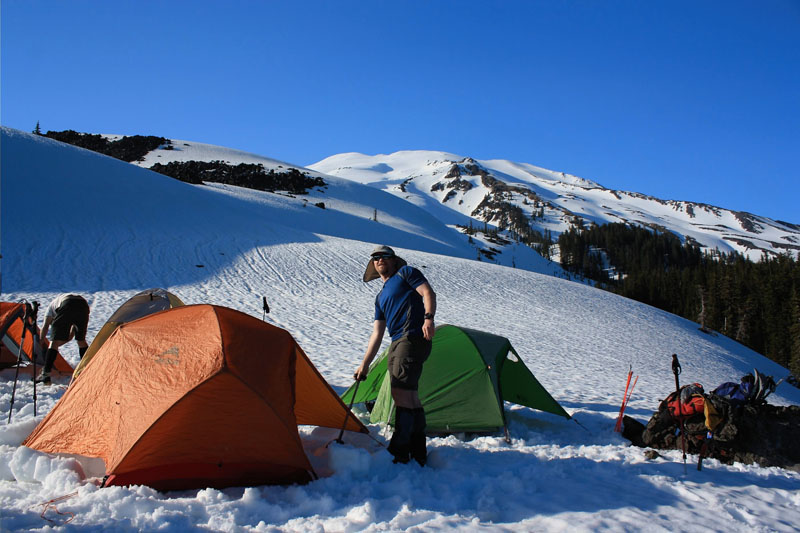
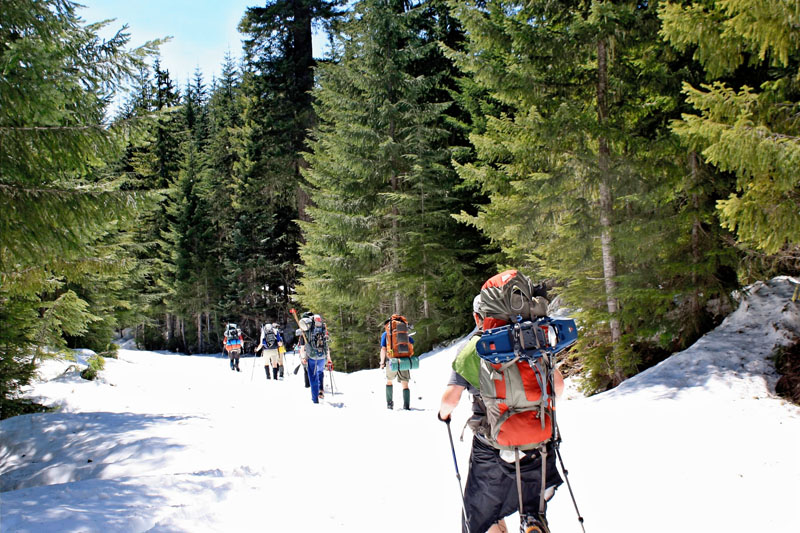
We started our 2-day adventure on Saturday afternoon from the Cougar Snopark located on the south side of Mt St Helens.  After a couple thousand feet of gain and ~4 miles of sweaty snow hiking with full camping packs, we reached the tree line and set up camp for the night.  It was blindingly sunny the whole time and getting roasted by the sun was a real danger.  I was taking a bath of multi-spectrum SPF 50 every hour and still got plenty of sun.  The heat made for interesting conditions.  The warm air temp kept me sweaty hiking in a T-shirt and shorts; while the snow was soft and made for slower going.  We brought snowshoes to keep from post-holing.  But as the sun went down, the temps started dropping fast.  After finding a beautiful spot to camp at the foot of Monitor ridge above the tree-line, we quickly melted snow for water and had dinner then I hit the sack early.  (I am now in love with the MSR Reactor stove – I’m selling my old stove to buy one of these).


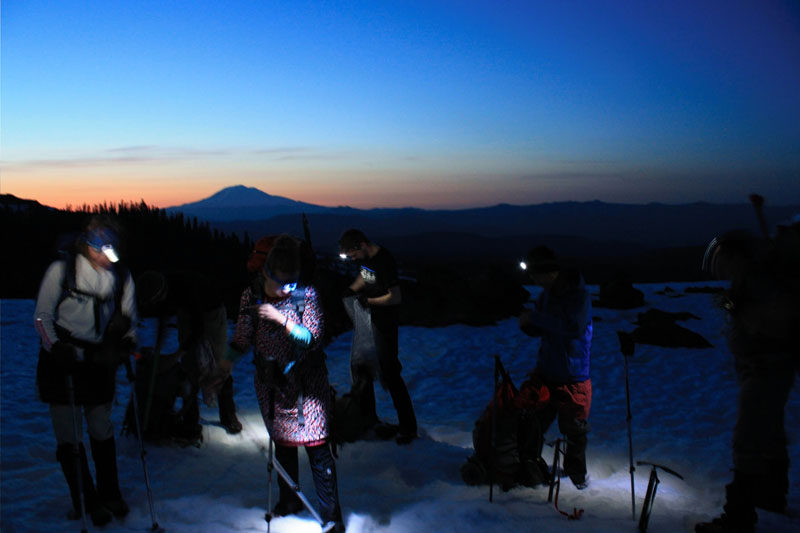
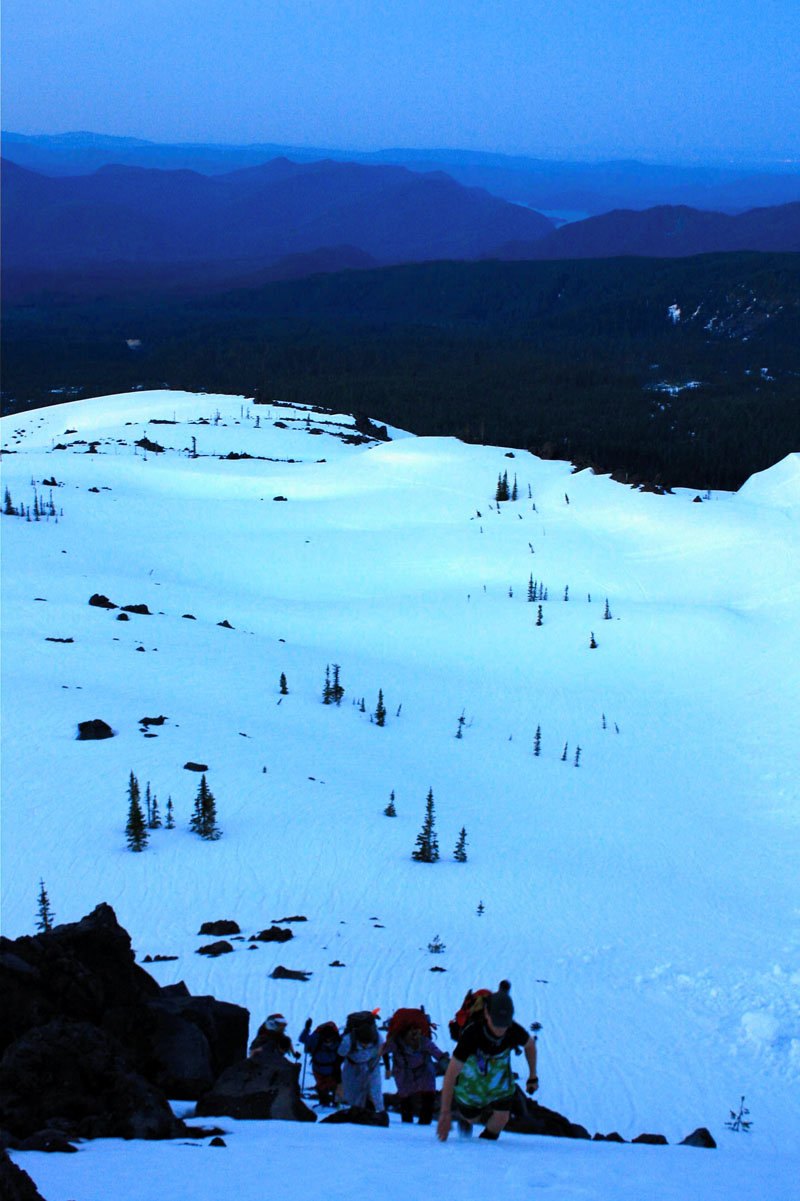
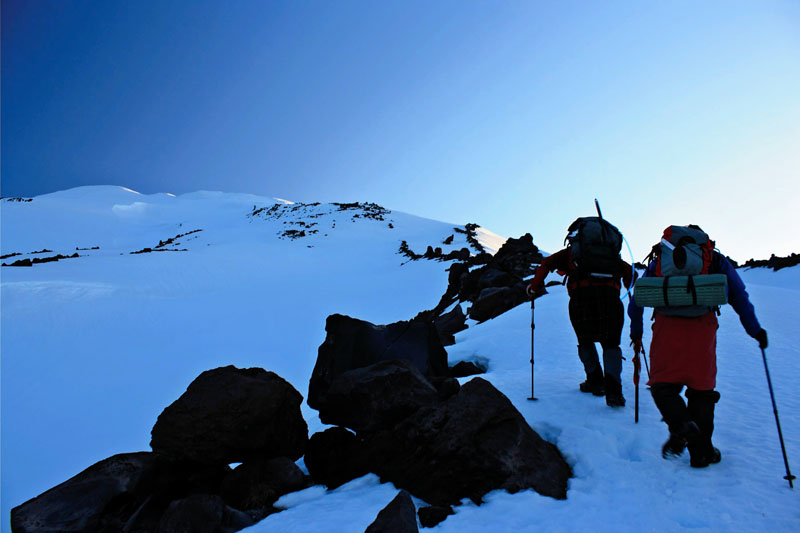
After a few hours of sleep, we awoke at 3:45am to get ready for our climb.  We whipped together our gear, got some food in us, and checked conditions.  The temps were cold but after gathering gear I was shedding layers like crazy.  It was warm – still in the upper 30’s lower 40’s by my guess.  I had hoped for freezing temps since that helps freeze the snow and make for safer climbing – but it was not to be.  A little after 4:30am we switched on our headlamps and started up the Monitor ridge route.  I know the warm temps and high avy danger warnings kept me apprehensive all morning as we started up the steep pitches.  We climbed up, through, and around the rocks of Monitor ridge, taking short breaks every hour for a bite and drinking.  The idea being that by staying on the ridge top and out of the snow fields – we would be much safer.

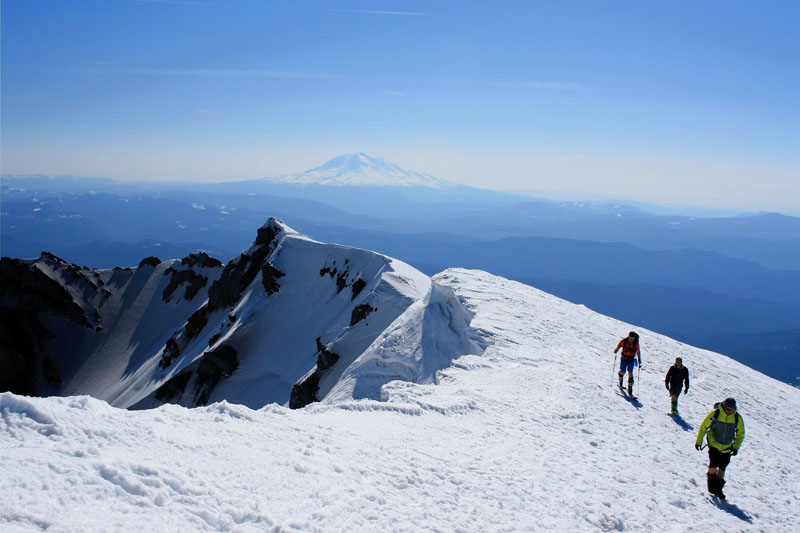
We made steady progress of about a 1,000 ft of elevation every hour; and the route was only moderately steep.  I would certainly say it was easier than Mt Hood.The sun began to glow over the horizon and we feasted on a beautiful sunrise about half the way up.  The snow was fairly well consolidated, and easy to walk on with crampons.  As we reached to summit, however, the sun was full-on shining and the snow quickly softening.  But by then, we had already reached our goal, the summit rim, at around 9:30am.


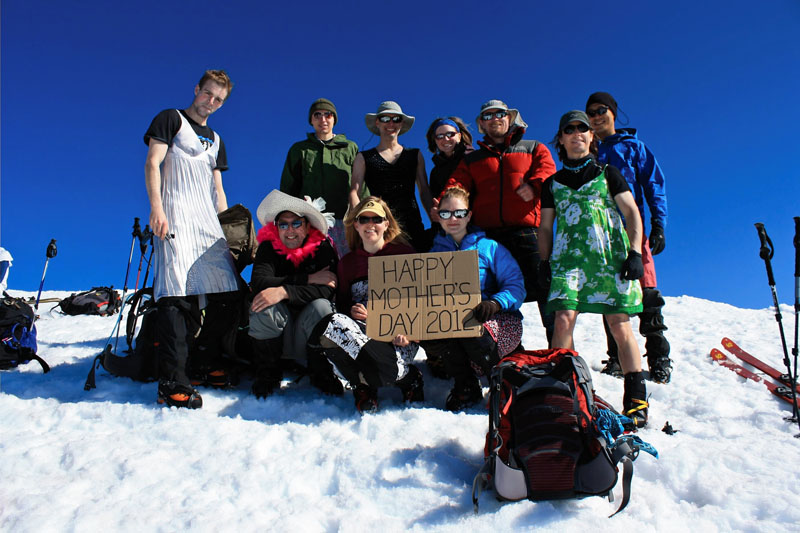
Upon reaching the summit, we posed for the obligatory summit shots and took a breather.  This became more fun because a great number of people there were sporting all manner of ladies dresses, hats, etc.  We posed for our shot and quickly re-clad.  Even though it was already in the 50’s, the mild wind was enough to keep our jackets on.  We had some lunch, took some photos, enjoyed the scenery and enjoyed the show.  We were some of the first few groups there, and a huge line of people were steadily streaming to the summit. The costumes and goof-balls that showed up were certainly entertaining.


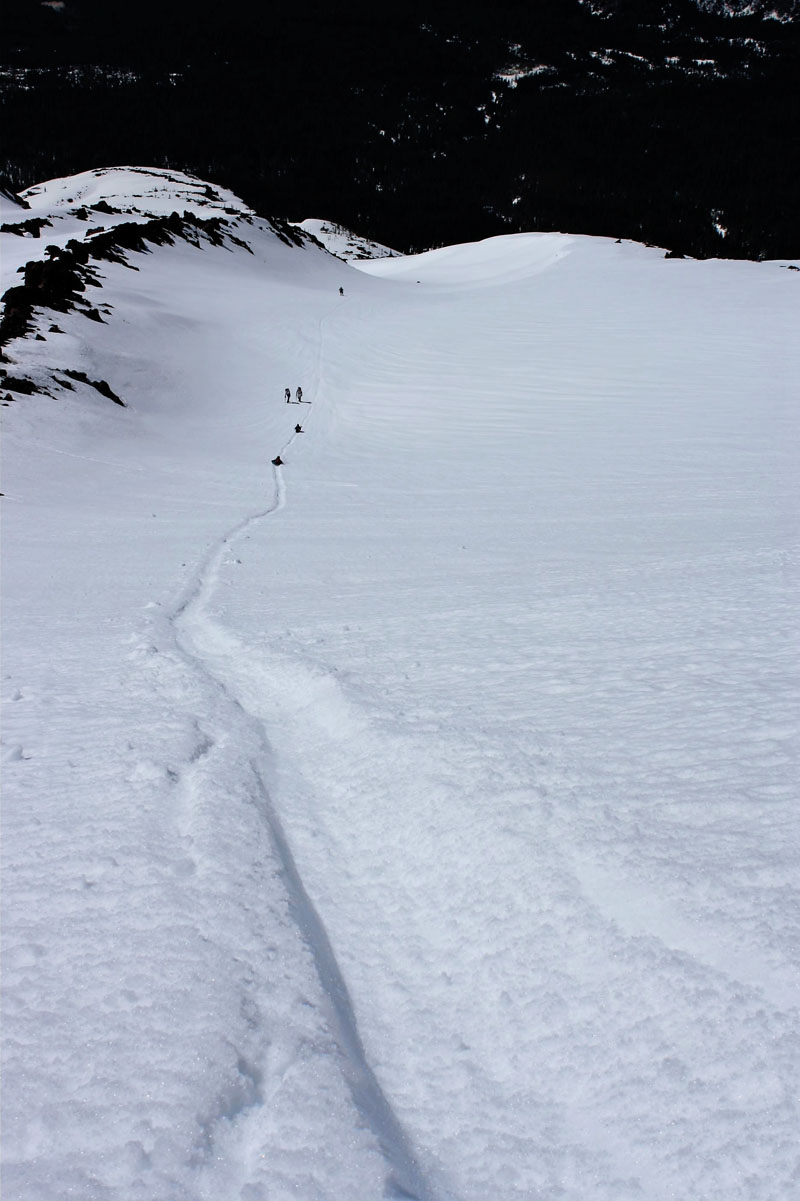
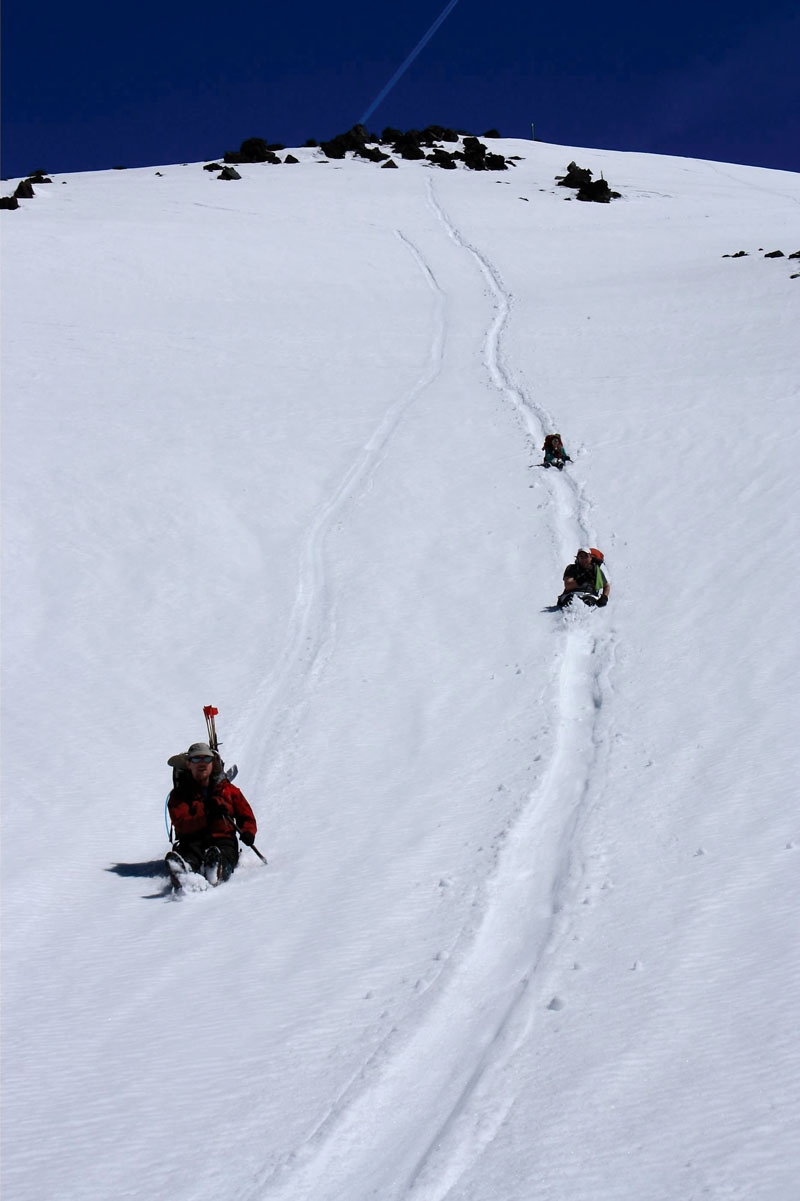
Then the best part – the return trip. About a third of the people coming up skied or snowboarded down.  We did not have such accoutrements (but man – I would have LOVED to had my snowboard judging by the amazing carving folks were doing!), so we opted for glissading.  The snow had softened dramatically by this point under the glaring sun, so we glissaded huge sections back to our campsite.  Honestly, some of the most fun I’ve had in a long time.  Absolutely amazing conditions.  I did see some slab cracks forming at the tops of some ridges – and it certainly made me pause – but our leaders believed them benign and we skirted them.  Still, I was keenly aware of those avy warnings that I’d been reading.  The advantage of the glissading was actually that we spent much less time in the ‘danger zones’ by zipping around them instead of spending extra time hiking them.  We reached camp in a blindingly fast 2 hours.  We packed up then hiked back to our cars.  We were all quite beat by the time we reached the vehicles – but it all went swimmingly.  What a great experience!


I would have wished for far less avy danger and certainly wouldn’t have attempted this without 2 very experienced team leaders.  I also escaped getting sunburned – but did get a really nice sun rash.   Even two days after the trip, the second I get into the sun my skin starts to prickle.  This after taking baths in SPF 50 every hour for two straight days.  A testament to how bright it was.  Good thing I work an inside desk job so I can give my skin a rest. 🙂